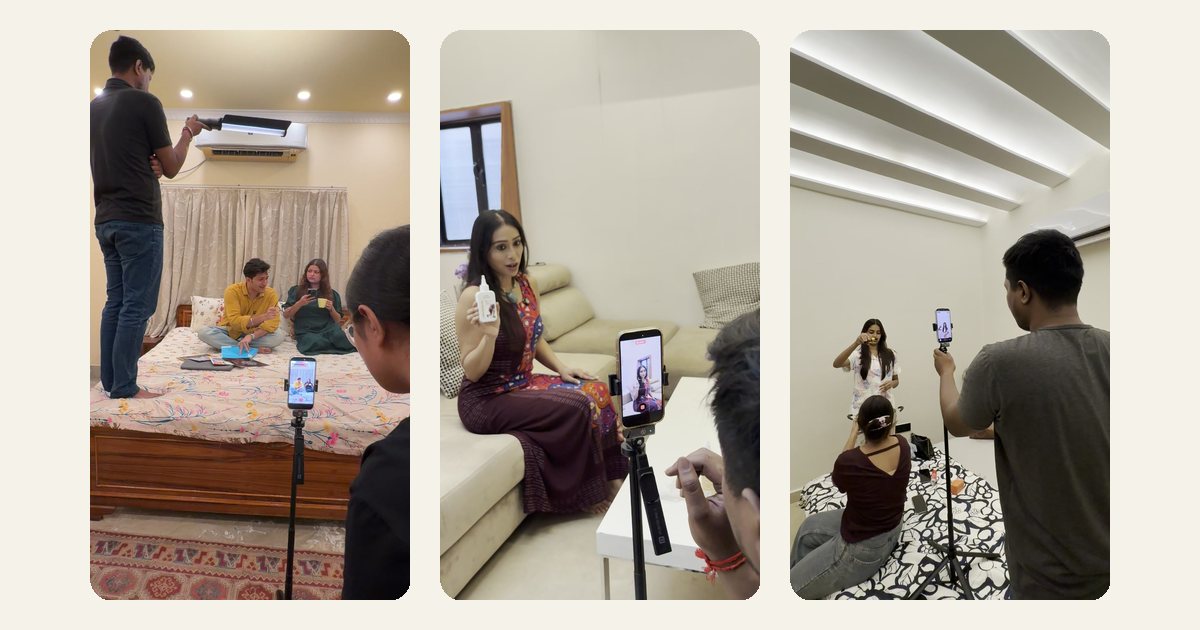
Most brands that struggle with UGC don't have a creator problem, they have a planning problem. They brief one creator, love the video, post it once, watch it fade, and then scramble to find another creator three weeks later. The result is sporadic content that never builds momentum. A content calendar fixes this at the root.
This guide explains how to build a UGC content calendar from scratch, even if you've never run a structured content programme before. We'll cover what goes into a calendar, how to sequence content types, and how to keep quality consistent month after month, with examples grounded in the Indian market.
What a UGC Content Calendar Actually Is
A UGC content calendar is a planned schedule that maps which creator videos will be produced, when they will be delivered, and where they will be published, across a rolling period, usually four to eight weeks at a time.
It is different from a general social media content calendar in one important way: it accounts for production lead time. A graphic post can be made overnight. A creator video needs briefing, filming, revision, and approval, typically seven to twelve days end to end. Your calendar has to work backwards from your publish date, not forwards from today.
A basic UGC content calendar entry looks like this:
- Video concept/angle: e.g. "Unboxing + first-use reaction for Diwali gifting season"
- Creator assigned: name and handle
- Brief sent date
- Draft due date
- Approval deadline
- Publish date and platform (Instagram Reels, YouTube Shorts, Meta paid ad)
- Ad or organic? (This affects ASCI disclosure rules, more on that below)
How Many Videos Do You Actually Need Each Month?
A common beginner mistake is planning too few videos and then boosting a single asset until it burns out, or planning too many and running out of budget halfway through. Here is a practical starting framework for Indian D2C brands:
- Rs. 60,000–1,00,000/month budget: Plan for 4–6 videos per month. One evergreen product explainer, two testimonial/review formats, and one topical or seasonal video tied to the Indian calendar (think Onam, Navratri, end-of-financial-year sales).
- Rs. 1,00,000–2,50,000/month budget: 8–12 videos. Add language variants here, the same concept shot in Hindi and Tamil or Marathi reaches meaningfully different audiences without requiring a separate brief.
- Above Rs. 2,50,000/month: You can run dedicated ad creative testing (3–4 hooks for the same product), creator-specific content for Instagram versus YouTube Shorts, and a separate WhatsApp Status/Broadcast-optimised cut.
The number that matters most is not total videos, it is how many distinct hooks you have in rotation at any given time. Three videos with three different opening lines give your paid campaigns something to test. One video repeated three times does not.
Building the Calendar Around India's Content Seasons
Indian consumers respond strongly to cultural timing. A UGC calendar that ignores the Indian festive and seasonal calendar is leaving reach on the table. Map your production schedule around these anchors:
- Q1 (Jan–Mar): Republic Day, Valentine's Day, Holi, end-of-financial-year. Good for lifestyle, gifting, and finance-adjacent products.
- Q2 (Apr–Jun): Summer skincare and health content, IPL viewing season (screen-time peaks), school admission season for edtech.
- Q3 (Jul–Sep): Monsoon, Raksha Bandhan, back-to-college, early Navratri prep. Strong for fashion, food, and home products.
- Q4 (Oct–Dec): The big window, Navratri, Dussehra, Diwali, Bhai Dooj, Christmas, New Year. Almost every category spikes. Plan creator briefs by early September so videos are ready before platforms get congested with competing brands.
Build backwards from each of these dates. If you want a Diwali UGC video live by October 20th, your brief needs to go out by October 5th at the latest.
The Four Content Types to Rotate
A healthy UGC calendar is not just testimonials on repeat. Rotate across four core formats to keep your feed varied and your audience engaged across different stages of the purchase journey:
- Discovery hooks (awareness): Short, punchy videos that lead with a problem or curiosity gap. "Mere haath itne dry kyon hote hain?" works better than a product announcement. These are your top-of-funnel assets, optimise them for Reels reach, not conversions.
- Proof videos (consideration): Real-use testimonials, before-and-after demonstrations, or "I tried this for 30 days" formats. These build trust. For regulated categories like supplements or cosmetics, creators must stick to factual claims, ASCI's influencer guidelines require that any material connection (gifting, payment) is clearly disclosed with labels like #Sponsored or #Ad at the start of the caption, not buried at the end.
- Objection-busters (decision): Videos that directly address price, delivery, or trust concerns. "Is this worth Rs. 899?" or "What happens if it doesn't work?", these convert buyers who are almost ready.
- Community and culture content (retention): Unboxing reactions, customer reposts, creator responses to comments. These make your brand feel alive on social and generate organic engagement that paid-only content rarely achieves.
Managing Creators Across Your Calendar
Once you have more than three creators on your roster, coordination becomes the bottleneck. A few practices that keep production on schedule:
- Use a shared brief document, not WhatsApp messages. Briefs sent over WhatsApp get buried. A Google Doc or Notion brief with the video concept, do's and don'ts, hook examples, and product details gives creators a single source of truth. We brief creators using a standardised format that separates mandatory brand points from creative freedom zones, this reduces revision rounds significantly.
- Set hard draft deadlines, not "as soon as possible." Creators juggle multiple brands. A specific date ("please send raw footage by Thursday 6pm") is respected more consistently than an open-ended request.
- Build a two-day revision buffer into every slot. Even creators who deliver on time sometimes need a retake for audio quality or a wrong product detail. Your calendar should assume one revision cycle.
- Log which assets are cleared for paid use. A creator who gave permission for an organic post has not automatically cleared you to run their video as a Meta ad. Keep a column in your calendar tracking paid usage rights, this is both a legal necessity and good practice under ASCI's influencer disclosure standards.
A calendar is only as good as the brief behind each slot. If the concept is vague, even a talented creator cannot save a weak video, they will just deliver a polished version of the wrong thing.
Reviewing Performance to Improve the Next Month
A content calendar is not a set-and-forget document. At the end of every four-week cycle, run a brief performance review before filling the next month's slots:
- Which three videos had the best watch-through rate on Reels or Shorts? Note the hook style and replicate it in the next brief.
- Which paid creative had the lowest cost-per-click or cost-per-add-to-cart? Brief two more variants of that format.
- Which creator delivered on time and hit quality marks? Prioritise them for increased volume next cycle.
- Were there any ASCI-compliance issues, missing disclosures, unsupported health claims? Fix the brief template before the next round goes out.
Over three to four cycles, this feedback loop compounds. Brands that review and iterate this way tend to see their cost-per-result from UGC ads drop meaningfully, not because they spent more, but because they stopped repeating formats that didn't work.
Tools to Keep Everything Organised
You do not need expensive software to run a UGC content calendar. Indian D2C teams typically manage well with:
- Google Sheets or Notion: Free, shareable, easy to set up. One tab per month, one row per video asset.
- Google Drive or Dropbox: A shared folder structure (by month and creator name) where all raw footage, edited files, and approved finals live. This prevents the chaos of assets scattered across DMs.
- Meta Ads Manager's asset library: Once a video is approved for paid use, upload it here directly so your media buyer can access it without chasing the marketing team.
- A WhatsApp group for each creator, but only for quick check-ins. Briefs, approvals, and asset transfers should go through the documented system, not through chat.
Building a UGC content calendar takes an afternoon the first time and becomes faster every month once the template is in place. The brands that get consistent results from creator content are not the ones with the biggest budgets, they are the ones who treat production planning as seriously as they treat distribution. If you'd like help building a calendar and creator programme that fits your category and budget, the consultation page is a good place to start.